
ProGit Chapter7
Section 6~10을 내가 하기로 했다. --2017-05-18
1. 리비전 조회하기
1.1. ...
1.2. 계통 관계로 가리키기
책의 설명이 좀 부실해서 나름 찾아봤음..
https://www.kernel.org/pub/software/scm/git/docs/git-rev-parse.html#_specifying_revisions
G   H   I   J
 \ /     \ /
  D   E   F
   \  |  / \
    \ | /   |
     \|/    |
      B     C
       \   /
        \ /
         A
A =      = A^0
B = A^   = A^1     = A~1
C = A^2  = A^2
D = A^^  = A^1^1   = A~2
E = B^2  = A^^2
F = B^3  = A^^3
G = A^^^ = A^1^1^1 = A~3
H = D^2  = B^^2    = A^^^2  = A~2^2
I = F^   = B^3^    = A^^3^
J = F^2  = B^3^2   = A^^3^2
2. 대화형 명령
3. Stashing과 Cleaning
4. 내 작업에 서명하기
5. 검색
6. 히스토리 단장하기
rebase나, filter-branch 하면 목록에 있는 모든 커밋의 SHA-1값이 변경된다. 절대로 이미 서버에 Push한 커밋을 수정하면 안된다.
쓰지 말자..
6.1. 마지막 커밋을 수정하기
git commit --amend6.2. 커밋 메시지를 여러개 수정하기
git rebase -i HEAD~3
pick 2da213a remove 6 to 15
pick 90569ba add 21 to 30
pick d730441 add

# Rebase 7667c30..d730441 onto 7667c30 (3 command(s))
#
# Commands:
# p, pick = use commit
# r, reword = use commit, but edit the commit message
# e, edit = use commit, but stop for amending
# s, squash = use commit, but meld into previous commit
# f, fixup = like "squash", but discard this commit's log message
# x, exec = run command (the rest of the line) using shell
#
# These lines can be re-ordered; they are executed from top to bottom.
#
# If you remove a line here THAT COMMIT WILL BE LOST.
#
# However, if you remove everything, the rebase will be aborted.
#
# Note that empty commits are commented out
바꾸고 싶은 커밋에 대해 pick을 edit로 변경후 저장한다.
git commit --amend로 커밋메시지를 수정한다.
git rebase --continue6.3. 커밋 순서 바꾸기
위 내용에서 지우거나 순서를 바꾸면 됨.
6.4. 커밋 합치기
위 내용에서 squash로 바꾸면 이전 커밋으로 합쳐짐
6.5. 커밋 분리하기
위 내용에서 edit로 바꾸어서 멈춘 다음 커밋을 여러번 하면 된다.
git reset HEAD^
git add README
git commit -m 'updated README formatting'
git add lib/simplegit.rb
git commit -m 'added blame'
git rebase --continue
6.6. filter-branch는 포크레인
rebase가 삽이라면, filter-branch는 포크레인이라 할 수 있다.
- 모든 커밋에서 파일을 제거하기
git filter-branch --tree-filter 'rm -f passwords.txt' HEAD
- 하위 디렉터리를 루트 디렉터리로 만들기
git filter-branch --subdirectory-filter trunk HEAD - 모든 커밋의 이메일 주소를 수정하기
git filter-branch --commit-filter '
        if [ "$GIT_AUTHOR_EMAIL" = "schacon@localhost" ];
        then
                GIT_AUTHOR_NAME="Scott Chacon";
                GIT_AUTHOR_EMAIL="schacon@example.com";
                git commit-tree "$@";
        else
                git commit-tree "$@";
        fi' HEAD
7. Reset 명확히 알고 가기
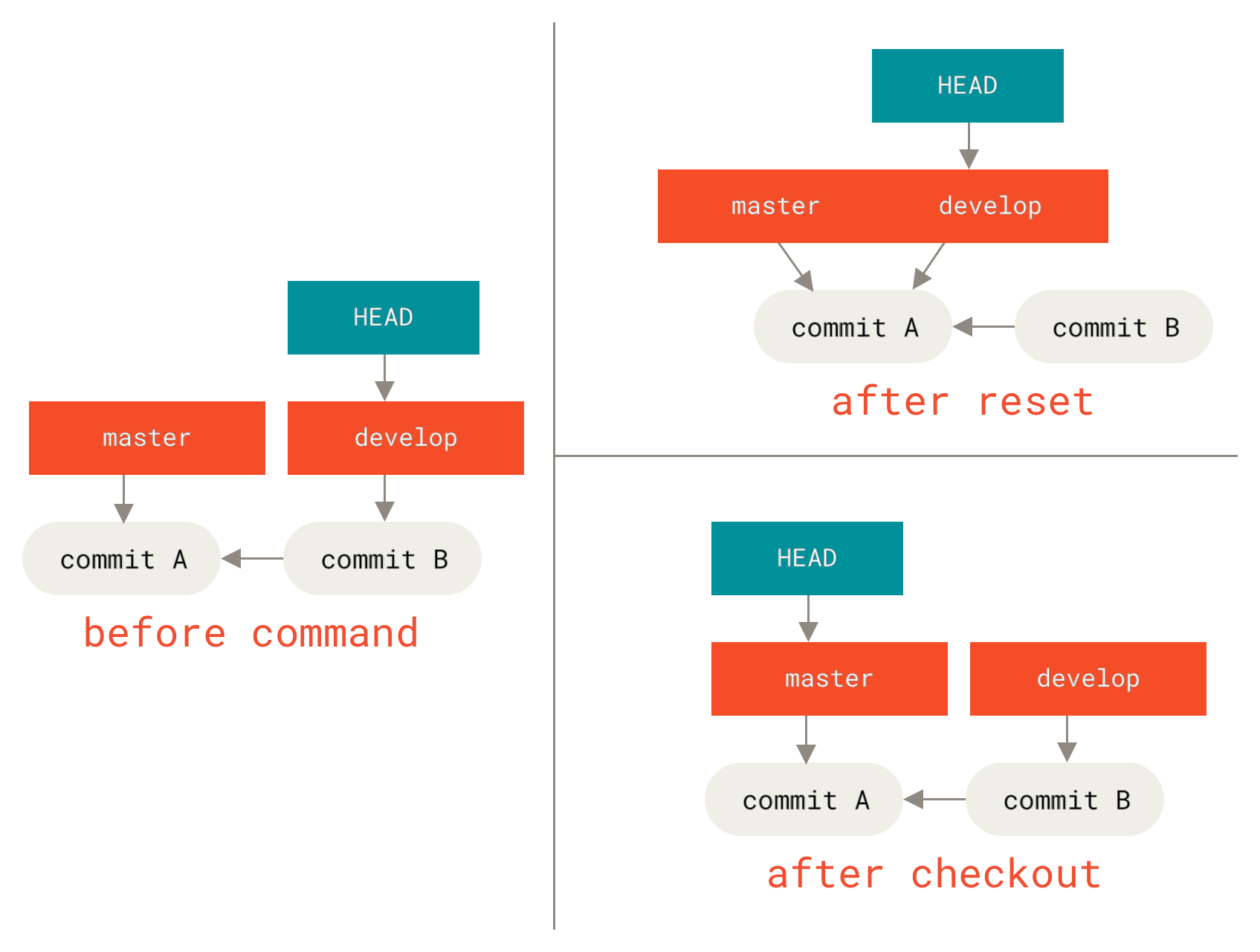
reset, checkout - 가장 헷갈리며, 제대로 이해하고 사용할 수 없을 것으로 보일 정도로 많은 기능을 지녔다.
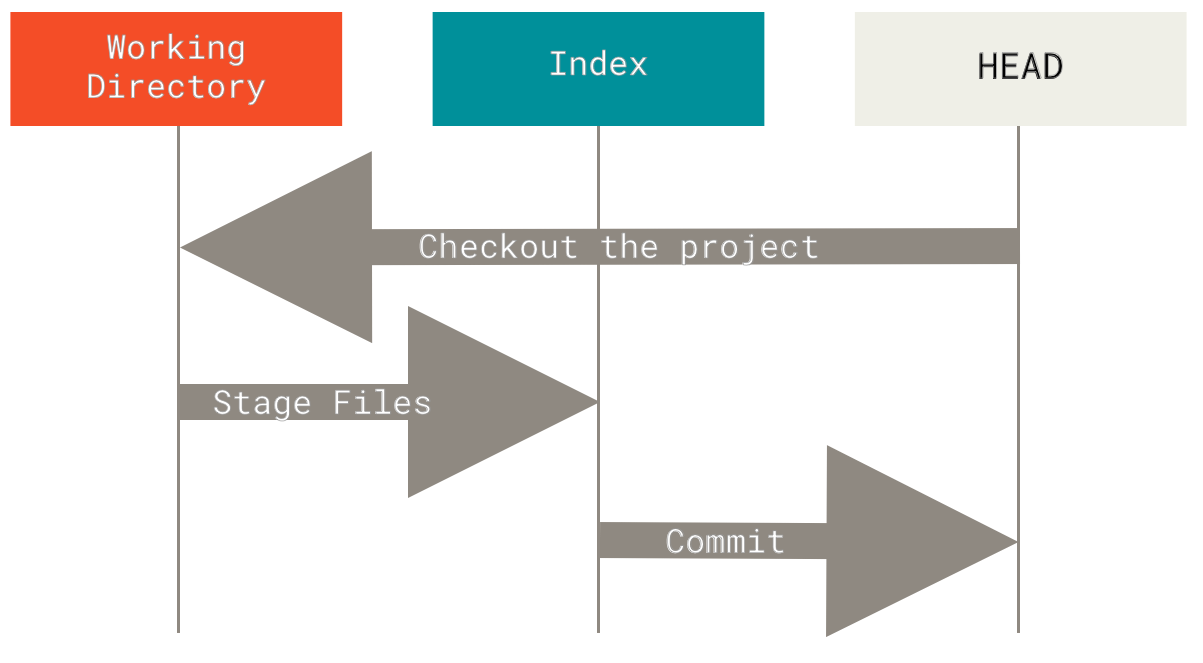
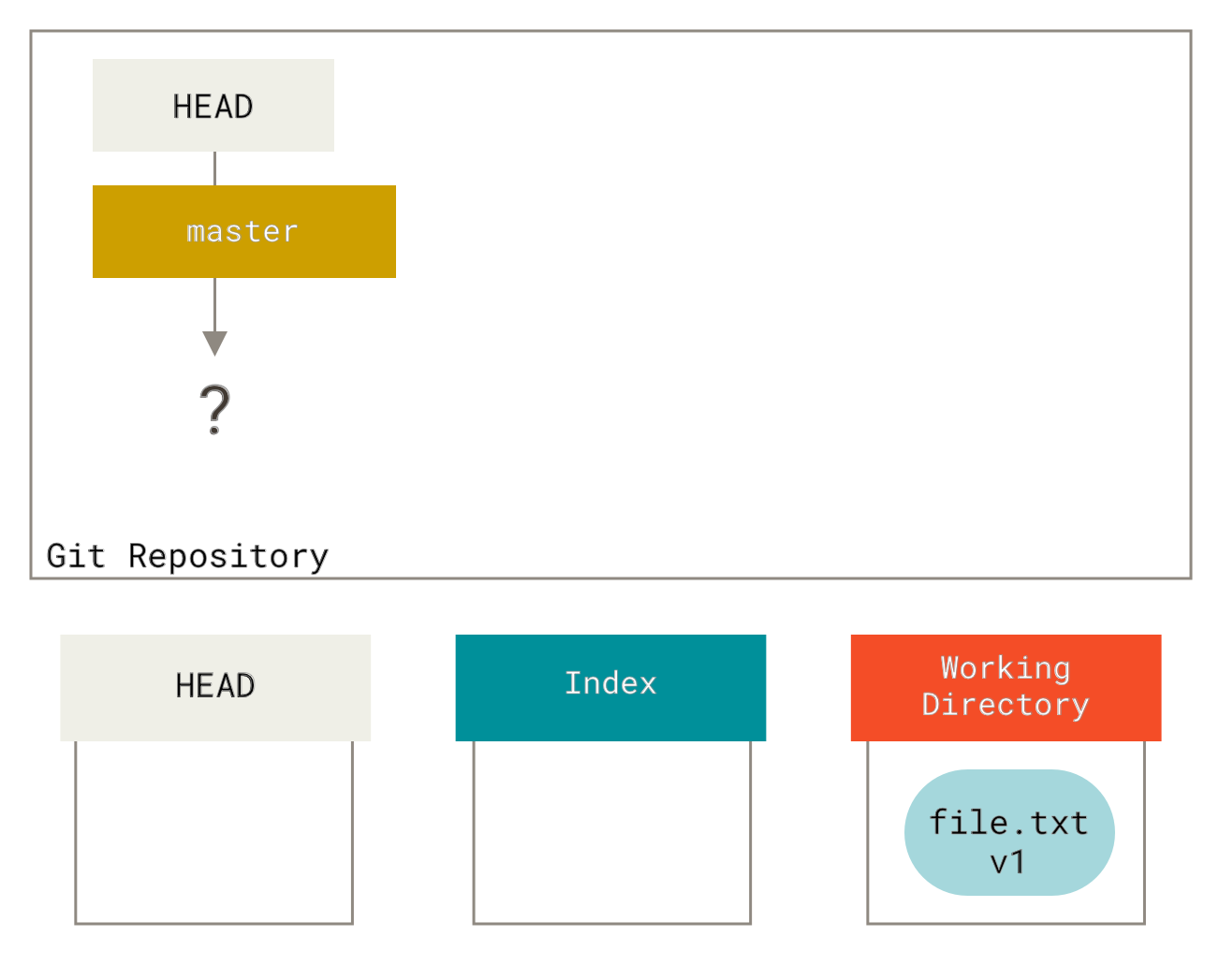
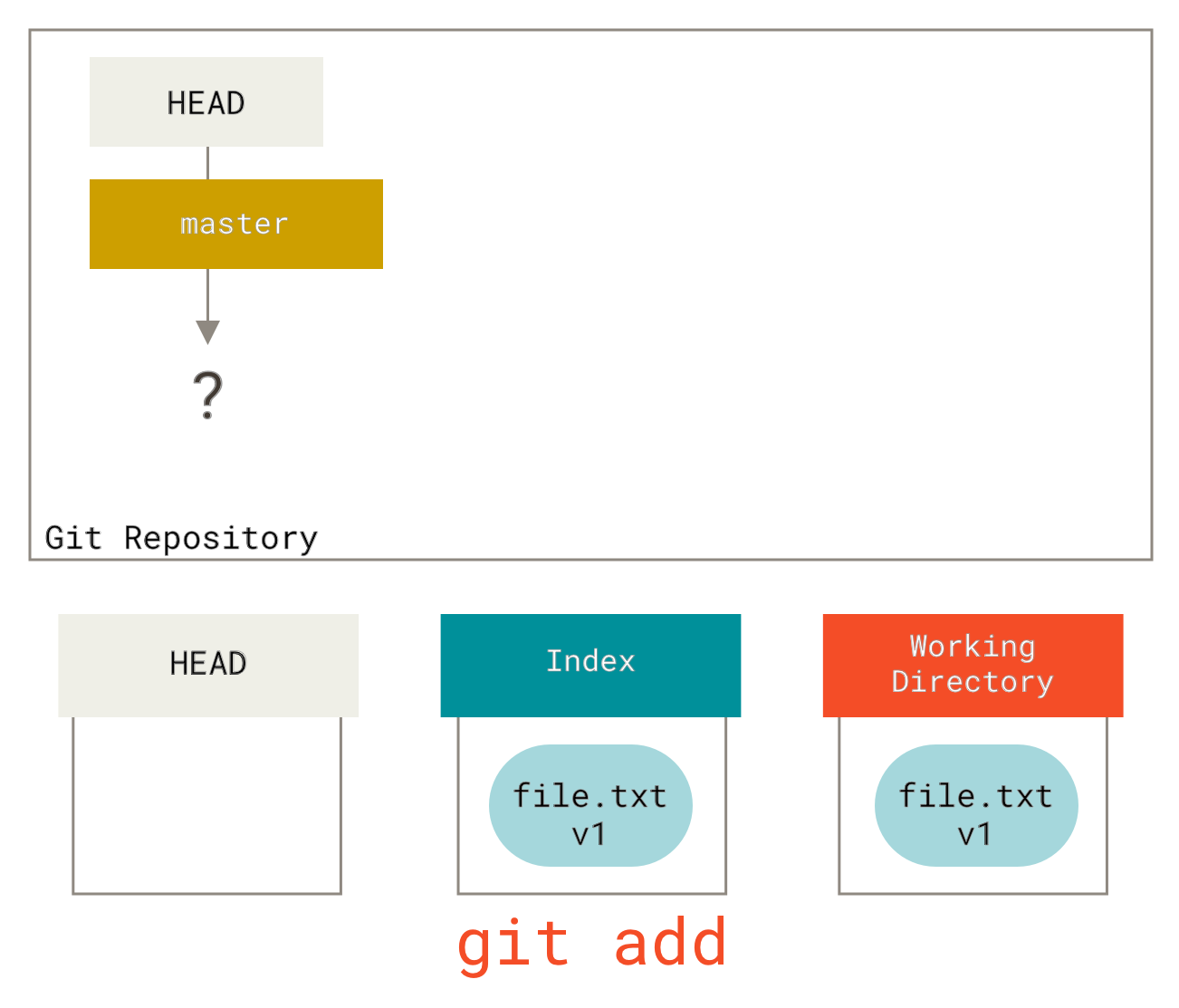
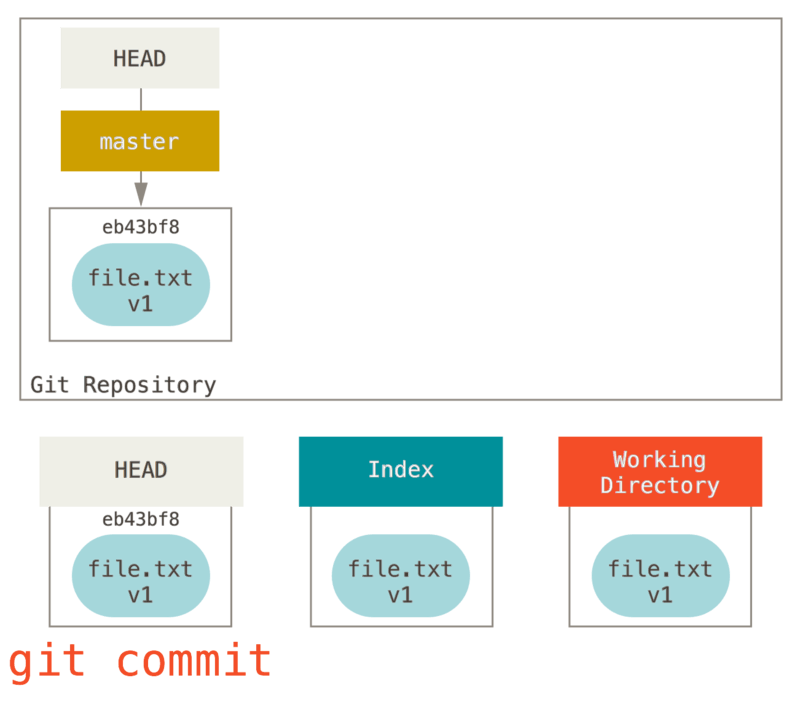
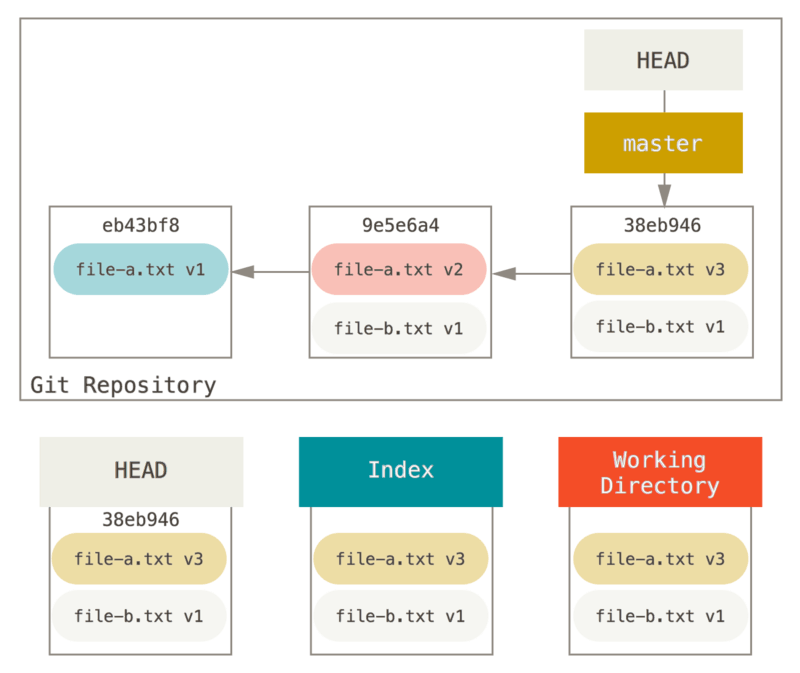
7.1. 세개의 트리
트리 | 역할 |
|---|---|
HEAD | 마지막 커밋 스냅샷. 다음 커밋의 부모 커밋 |
Index | 다음에 커밋할 스냅샷 |
워킹디렉터리 | 샌드박스 |
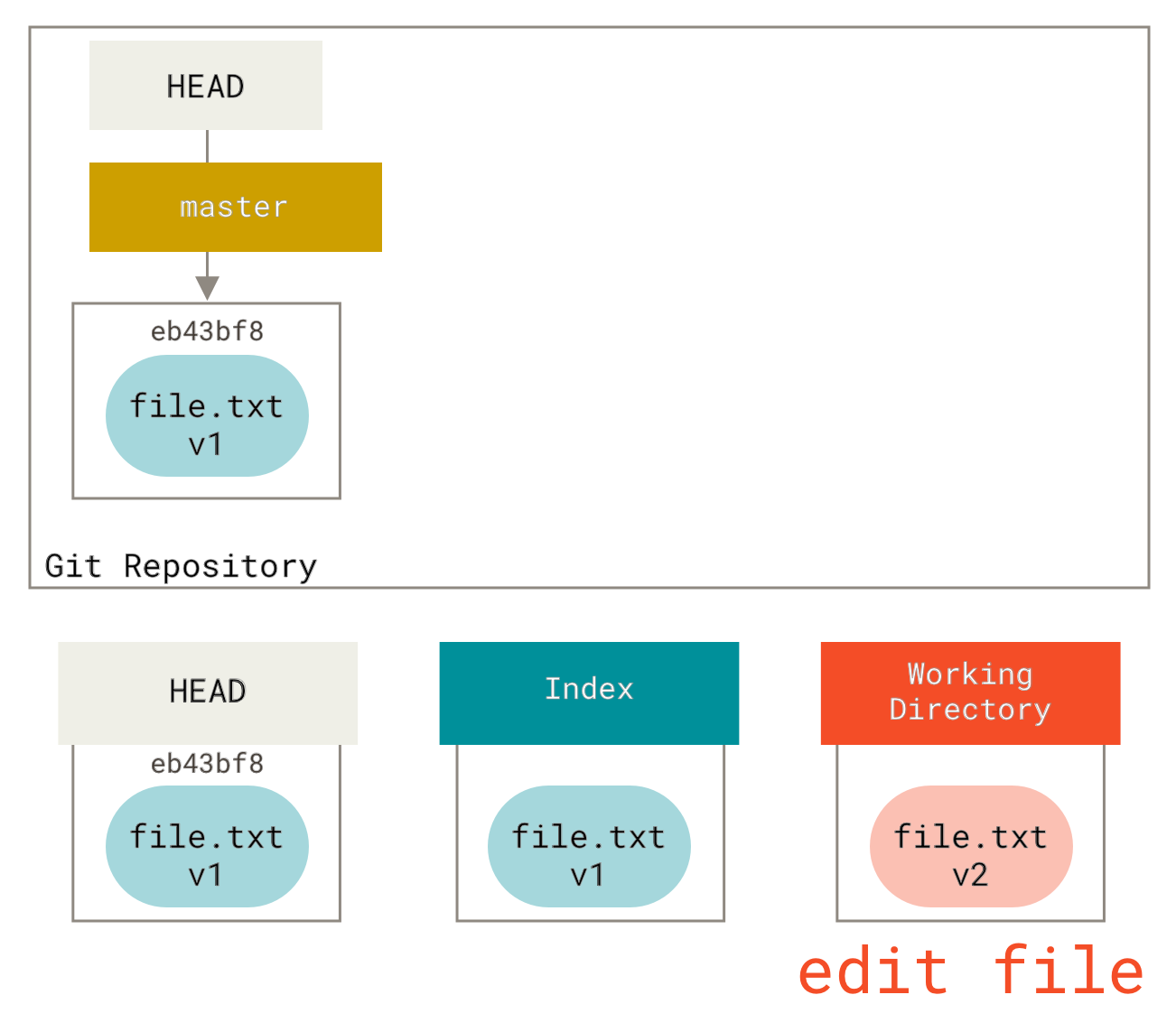
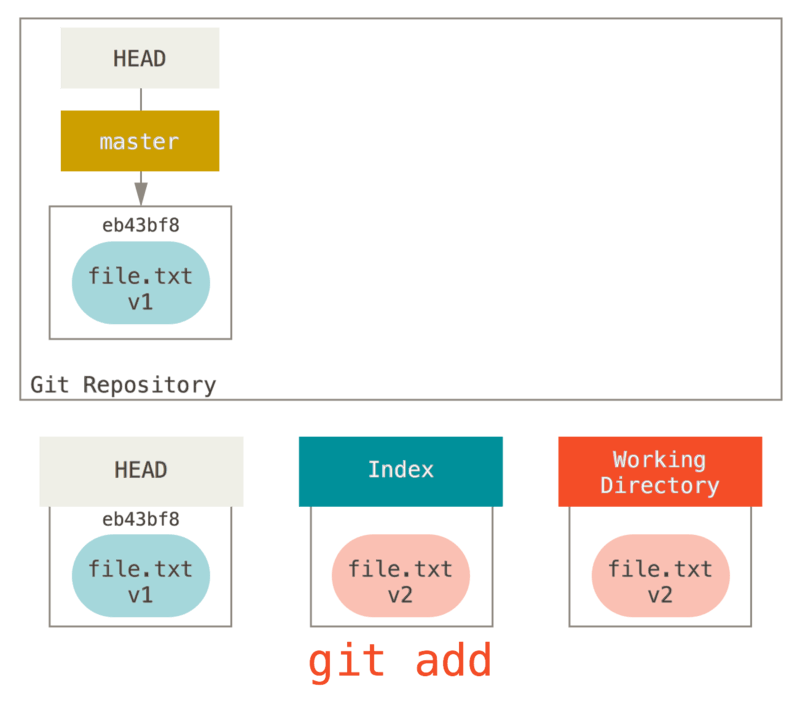
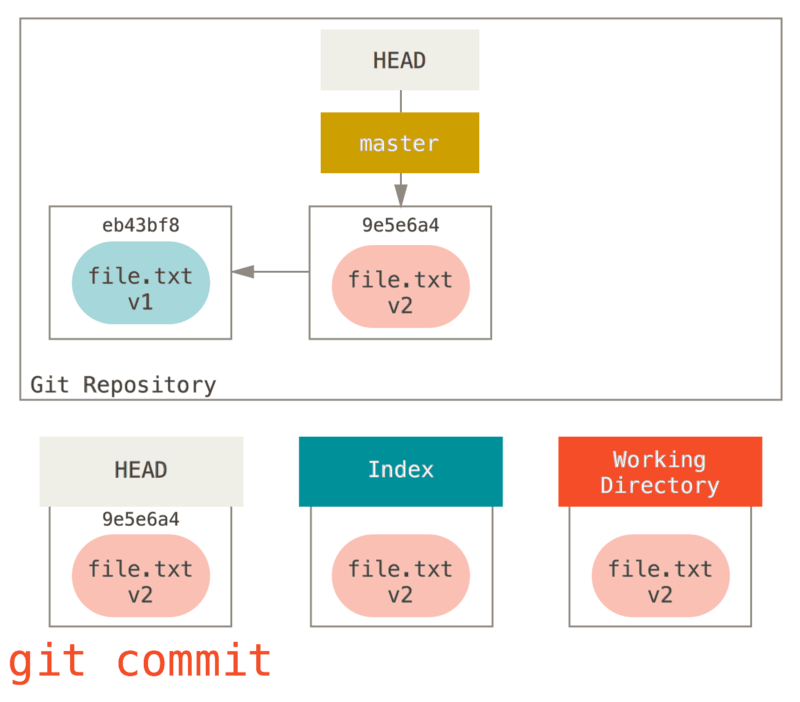
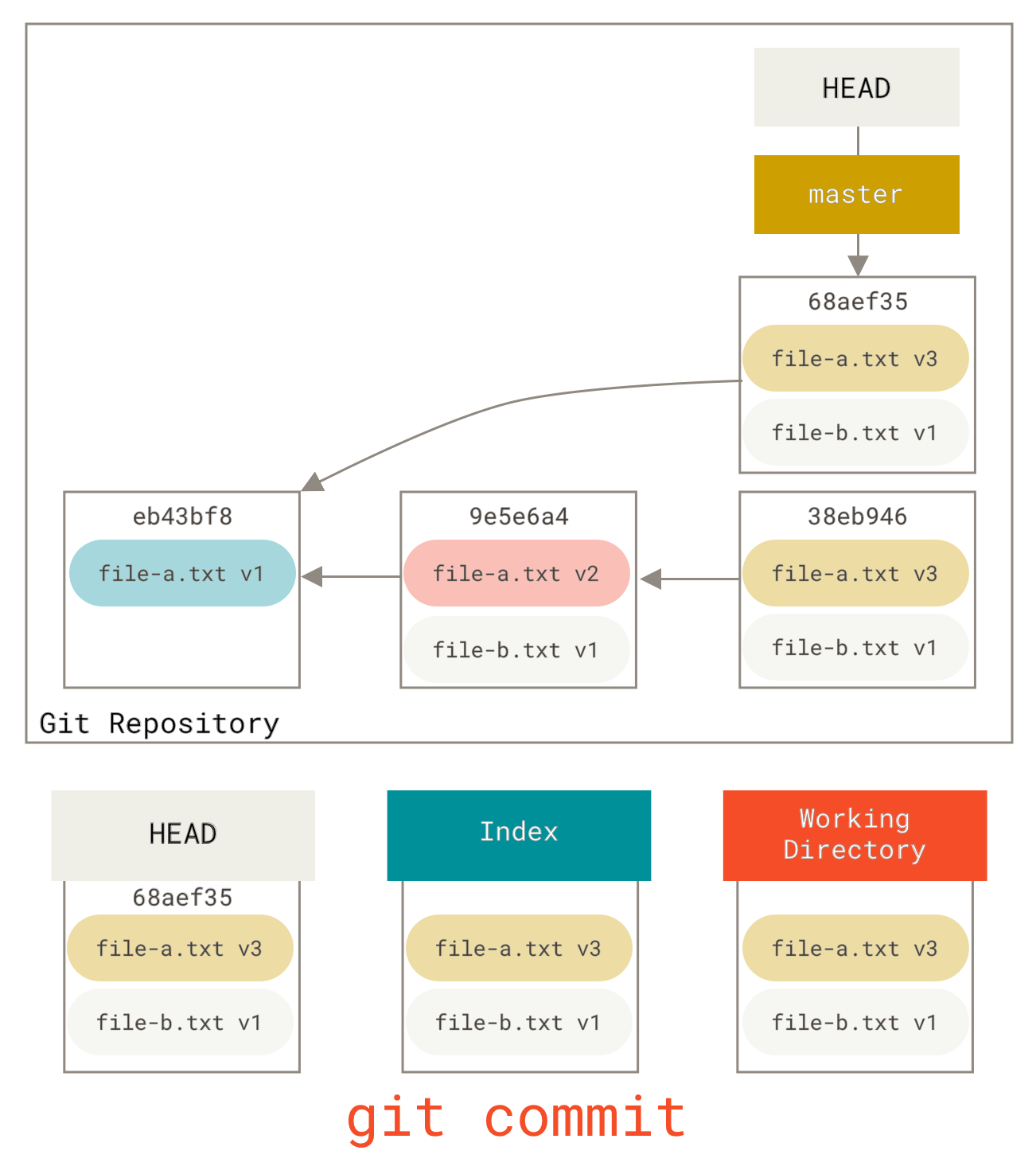
7.3. Reset의 역할
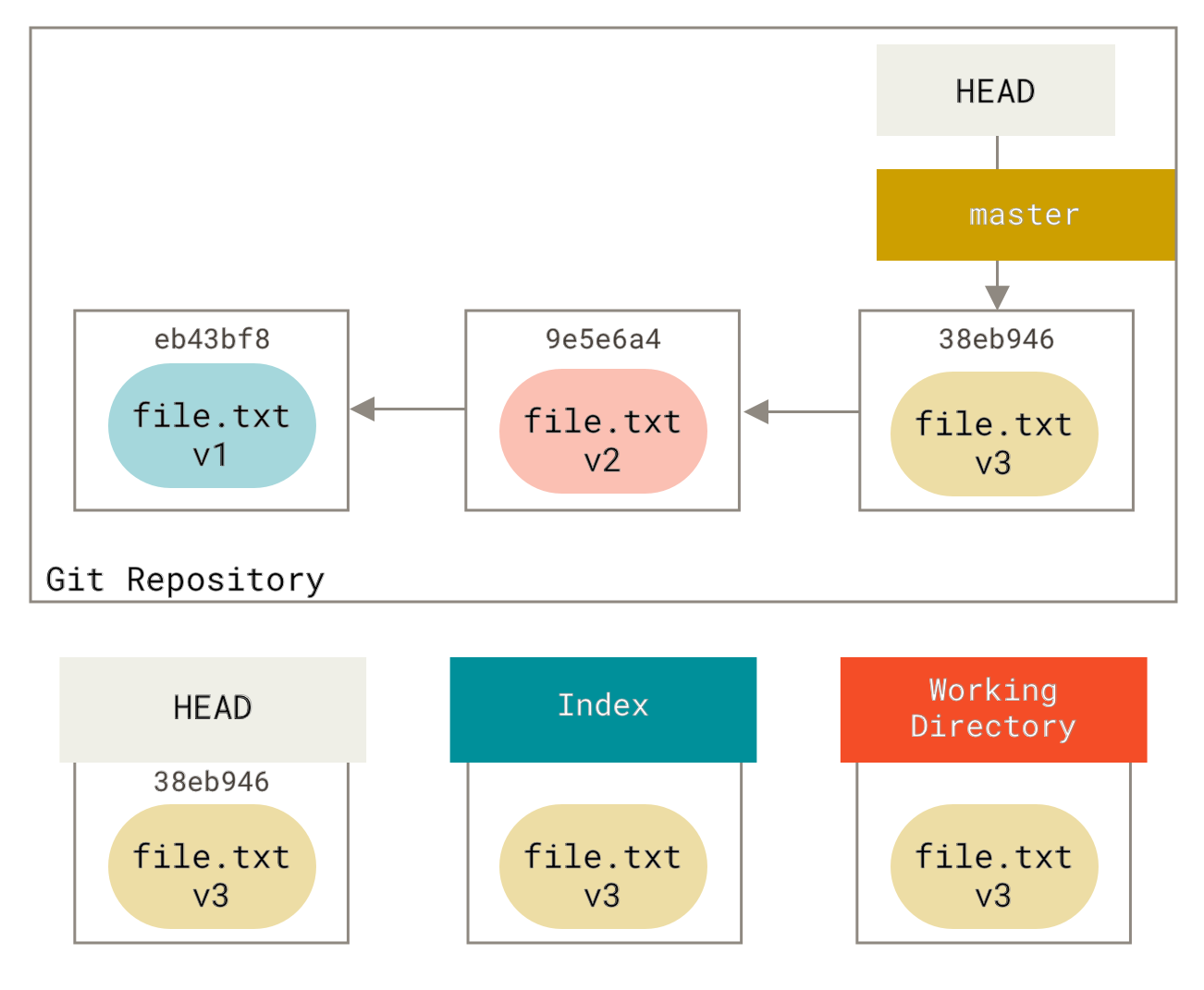
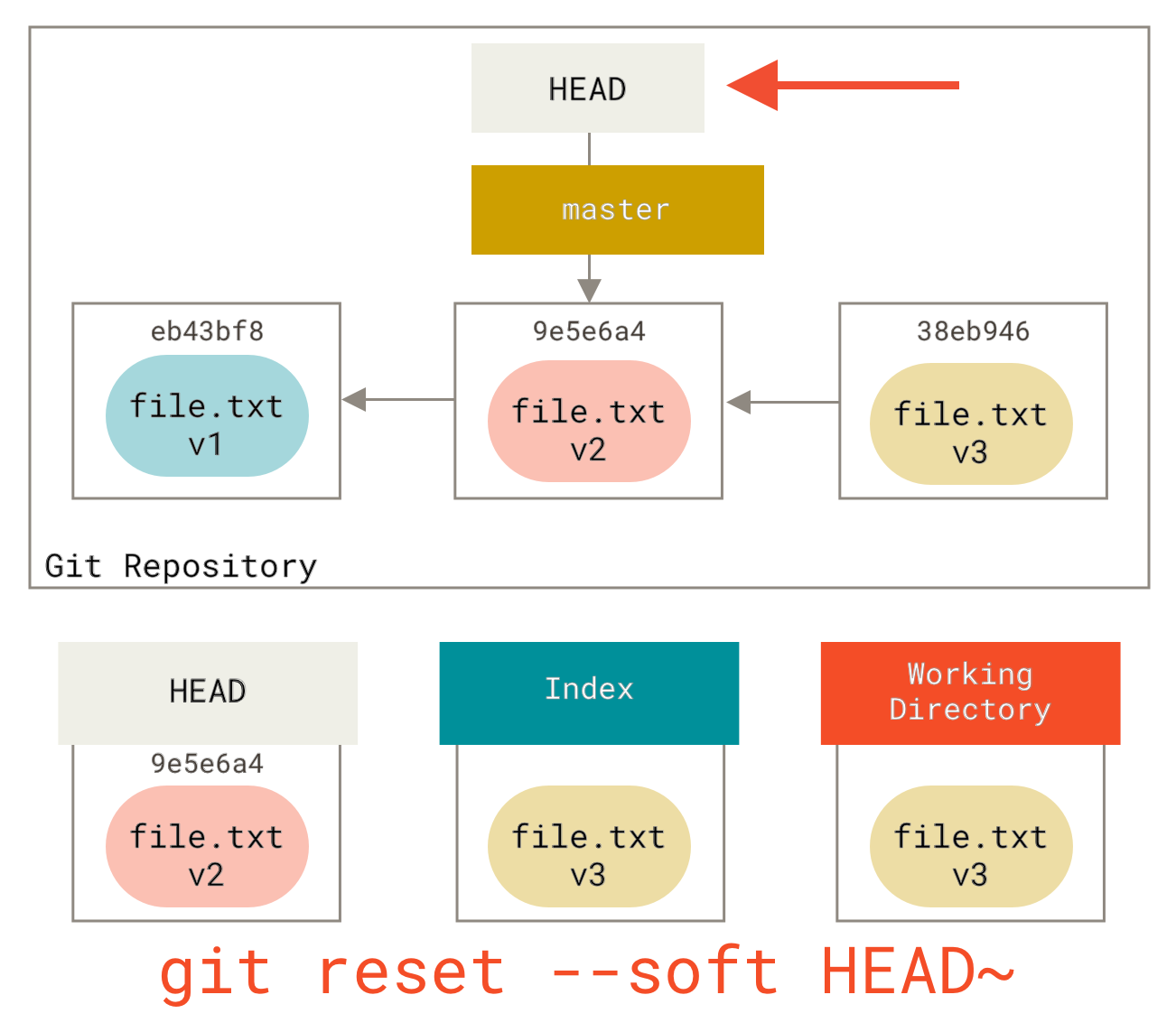
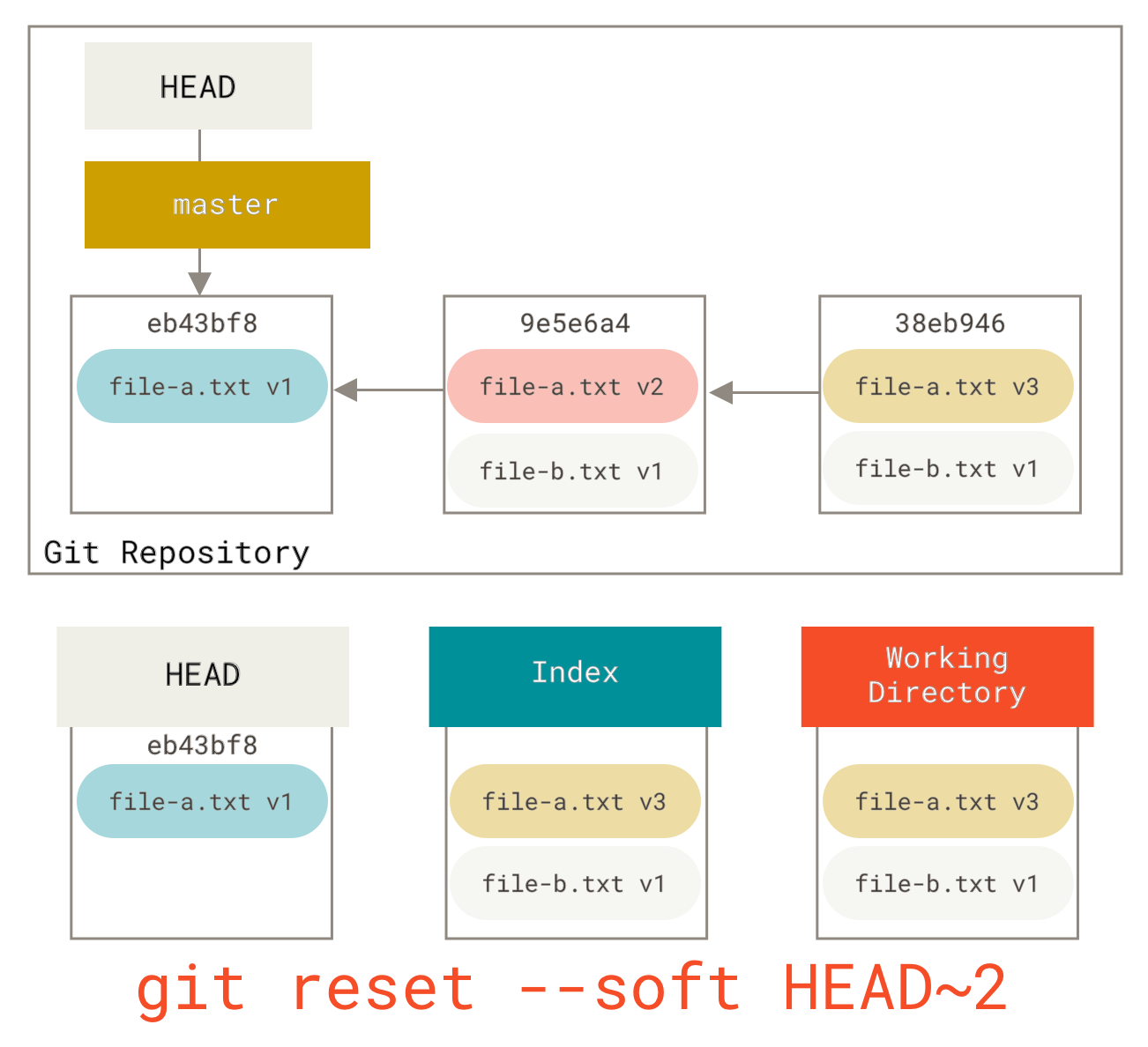
7.3.1. 1단계: HEAD 이동
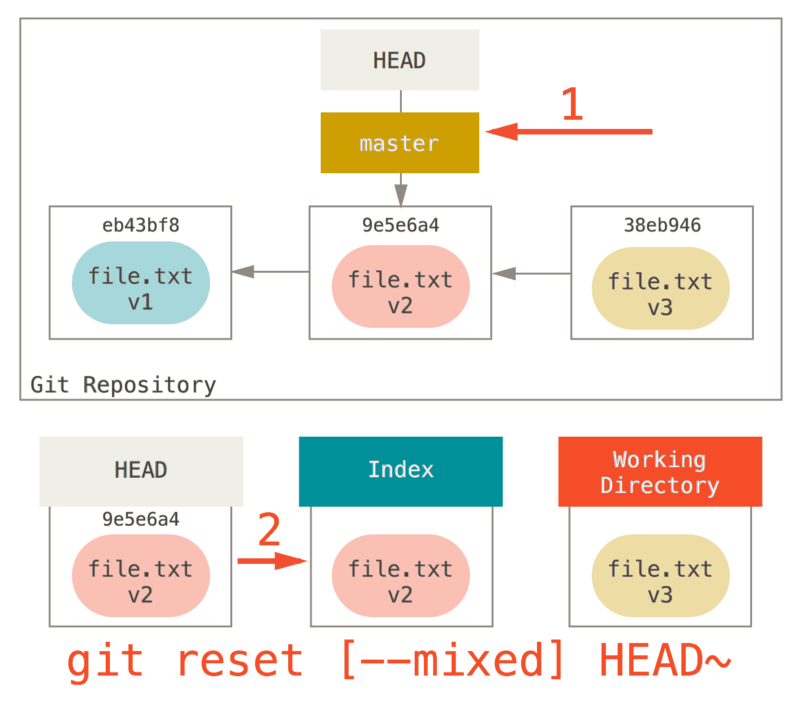
7.3.2. 2단계: Index 업데이트 (--mixed)
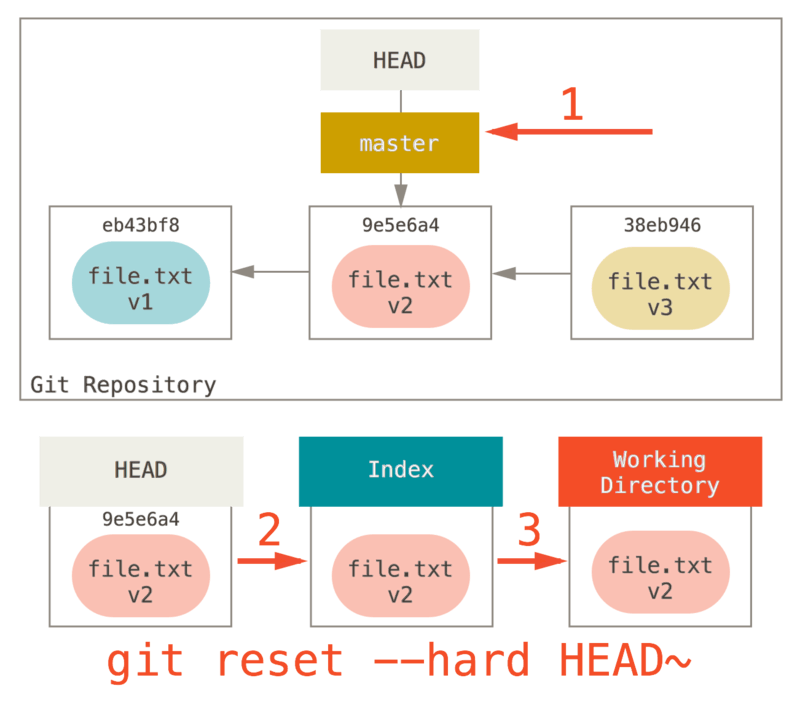
7.3.3. 3 단계: 워킹 디렉토리 업데이트 (--hard)
7.3.4. 복습
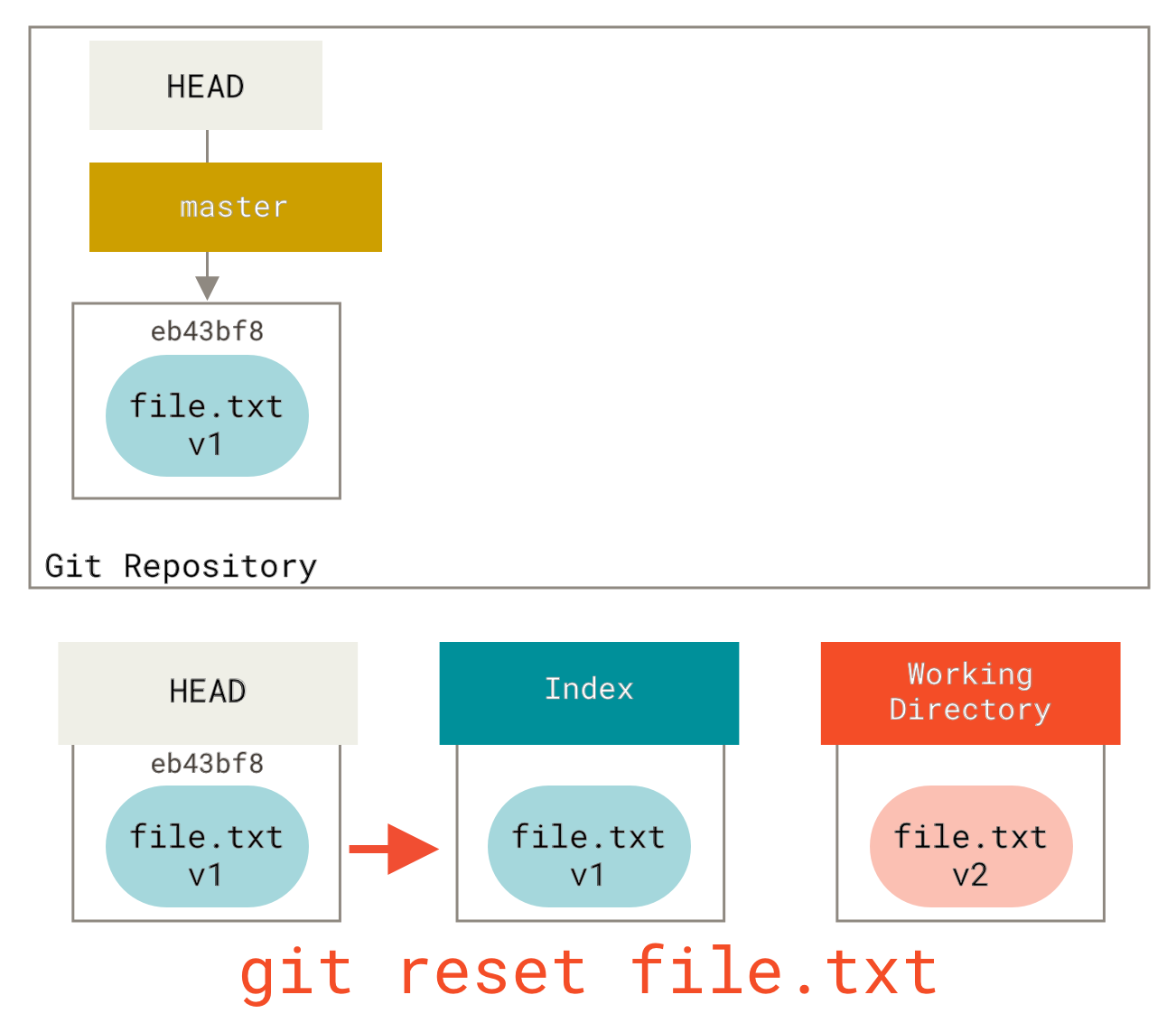
reset 명령은 정해진 순서대로 세 개의 트리를 덮어써 나가다가 옵션에 따라 지정한 곳에서 멈춘다.
- HEAD가 가리키는 브랜치를 옮긴다. (--soft 옵션이 붙으면 여기까지)
- Index를 HEAD가 가리키는 상태로 만든다. (--hard 옵션이 붙지 않았으면 여기까지)
- 워킹 디렉토리를 Index의 상태로 만든다.
7.6. Checkout
7.7. 요약
HEAD | Index | Workdir | WD Safe? | |
|---|---|---|---|---|
Commit Level | ||||
| REF | NO | NO | YES |
| REF | YES | NO | YES |
| REF | YES | YES | NO |
| HEAD | YES | YES | YES |
File Level | ||||
| NO | YES | NO | YES |
| NO | YES | YES | NO |
8. 고급 Merge
8.1. Merge 충돌
- Merge취소하기
git merge --abort - 공백 무시하기
git merge -Xignore-all-space whitespace
git merge -Xignore-space-change whitespace
- 수동으로 Merge하기
git show :1:hello.rb > hello.common.rb
git show :2:hello.rb > hello.ours.rb
git show :3:hello.rb > hello.theirs.rb
git merge-file -p hello.ours.rb hello.common.rb hello.theirs.rb > hello.rb
- 그냥 GUI툴 씁시다..
- 충돌 파일 Checkout - 그냥 GUI툴 씁시다.
- Merge 로그 - 그냥 GUI툴 씁시다..
- Combined Diff 형식 - 그냥 GUI툴 씁시다..
8.2. Merge 되돌리기
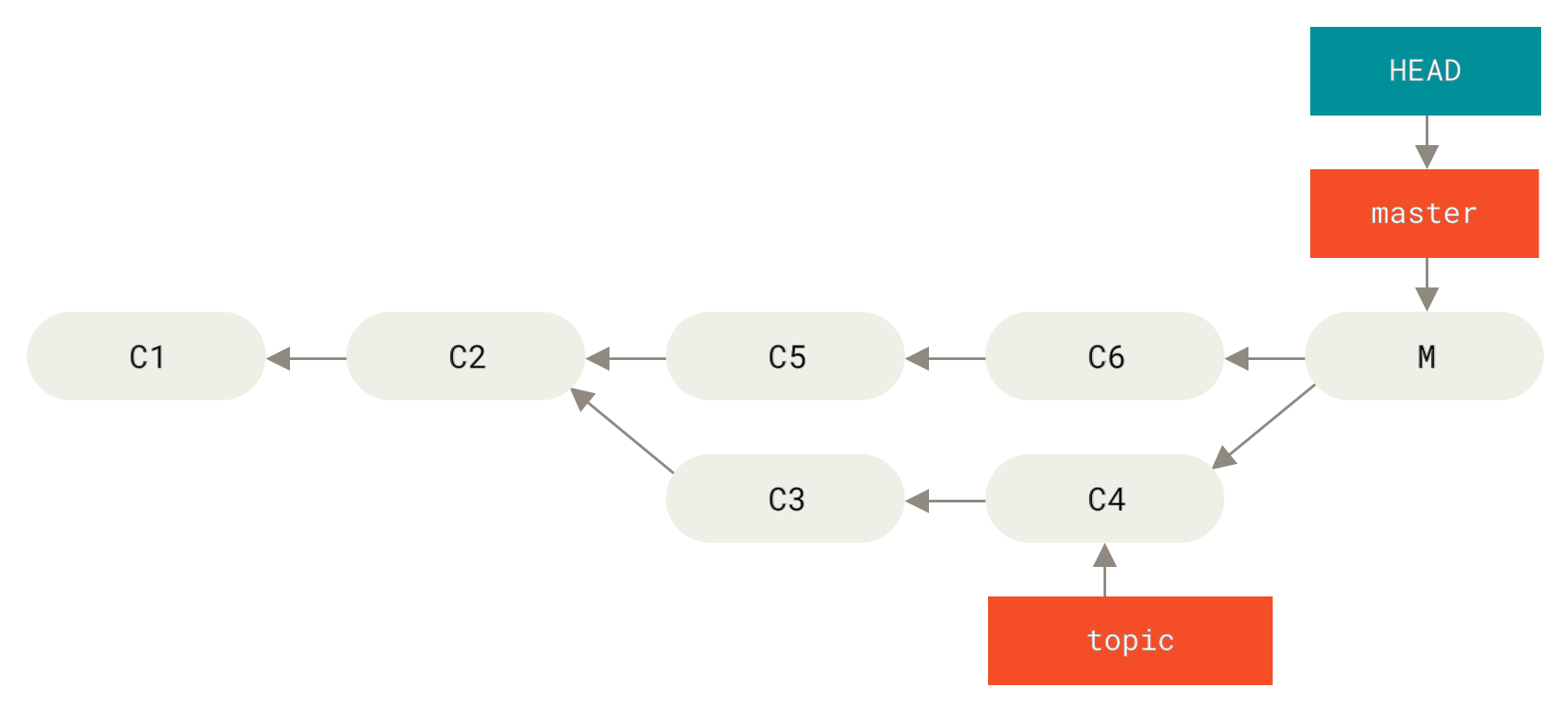
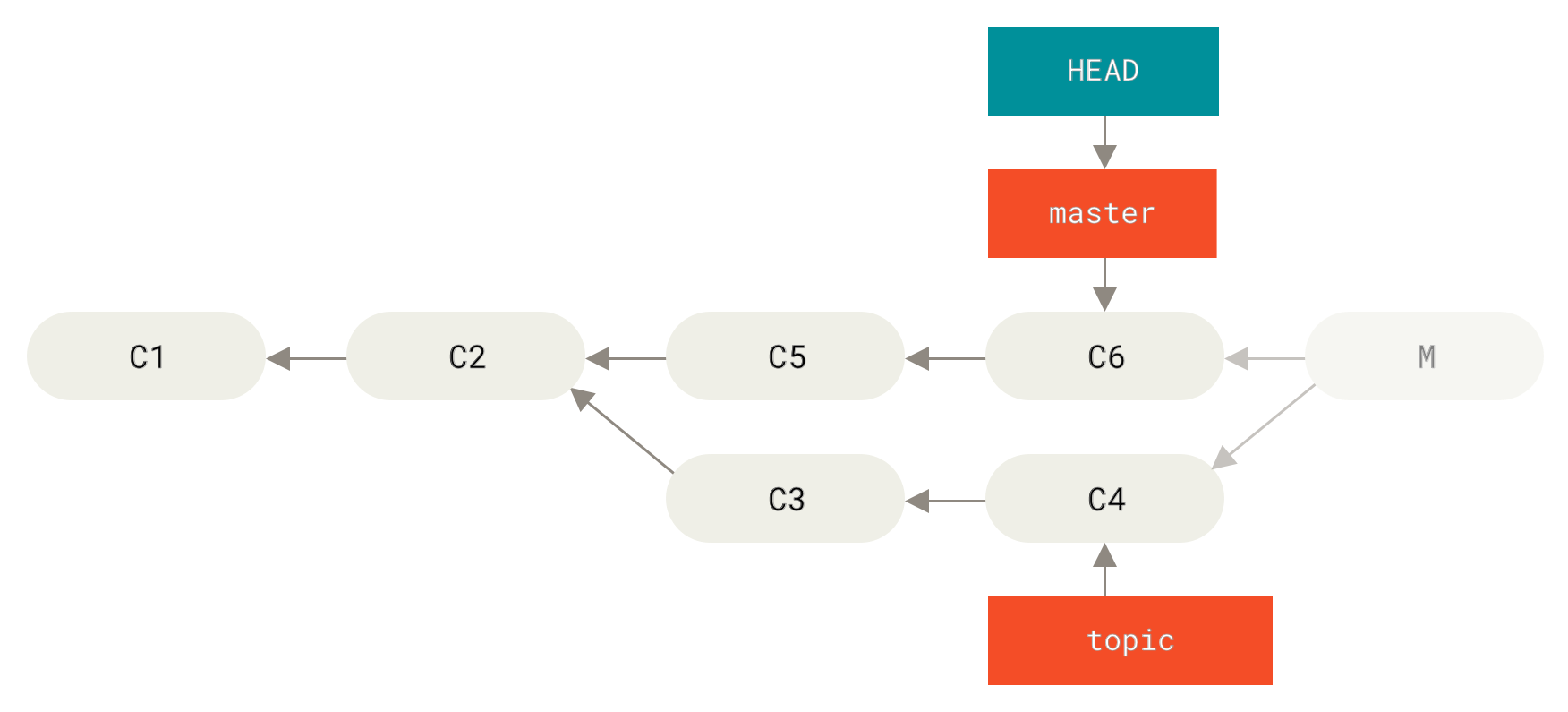
- Refs 수정
git reset --hard HEAD~ - 커밋 되돌리기
git revert -m 1 HEAD
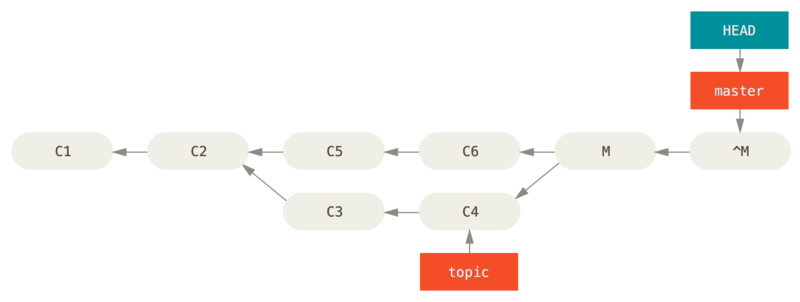
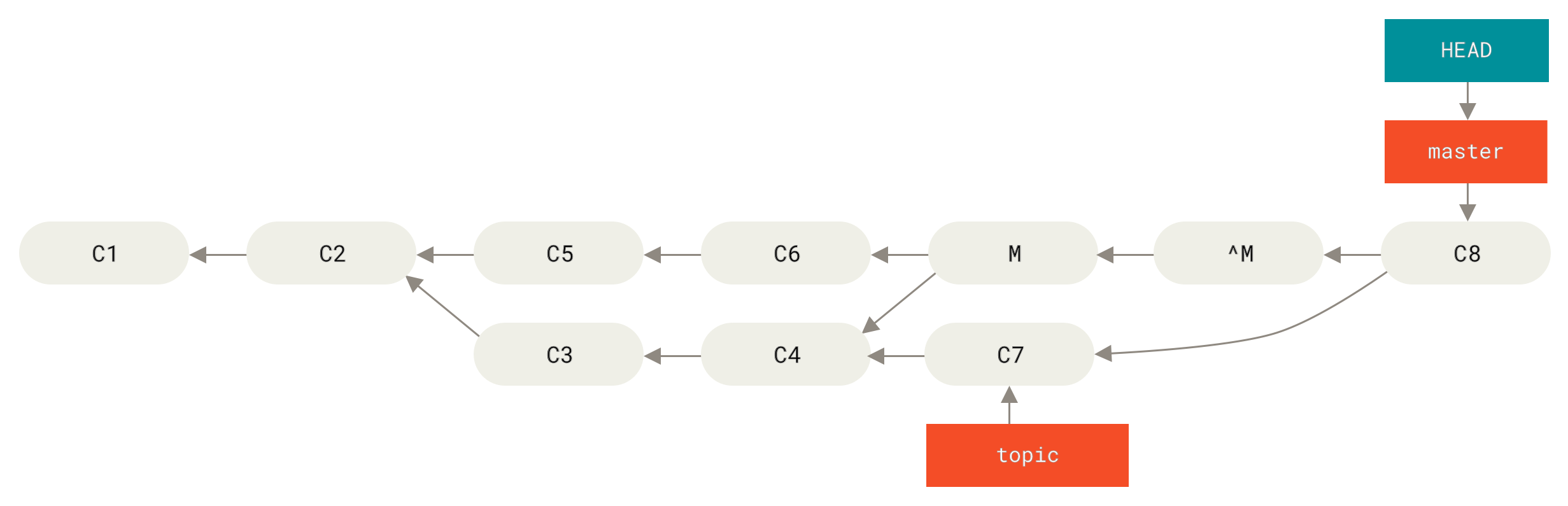
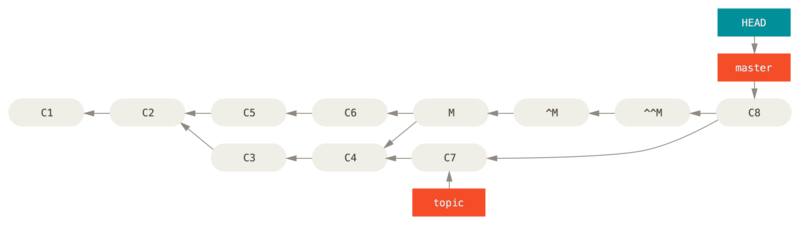
- 다른 방식의 Merge -
-Xours,-Xtheirs - 서브트리 Merge
- 이렇게 저장소를 관리하는 방법은 저장소를 다루기 좀 복잡하고 통합할 때 실수하기 쉽다. 엉뚱한 저장소로 Push해버릴 가능성도 있다. -> 안쓰는걸로.
9. Rerere
Reuse Reccorded Resolution
충돌 해결 내용을 rerere cache에 보관하고, 동일한 충돌이 발생할 경우 자동으로 해결해 준다.
git config --global rerere.enabled true
git rerere status
git rerere diff
git rerere
10. Git으로 버그 찾기
10.1. 파일 어노테이션(blame)
git blame -L 12,22 simplegit.rb
^4832fe2 (Scott Chacon  2008-03-15 10:31:28 -0700 12)  def show(tree = 'master')
^4832fe2 (Scott Chacon  2008-03-15 10:31:28 -0700 13)   command("git show #{tree}")
^4832fe2 (Scott Chacon  2008-03-15 10:31:28 -0700 14)  end
^4832fe2 (Scott Chacon  2008-03-15 10:31:28 -0700 15)
9f6560e4 (Scott Chacon  2008-03-17 21:52:20 -0700 16)  def log(tree = 'master')
79eaf55d (Scott Chacon  2008-04-06 10:15:08 -0700 17)   command("git log #{tree}")
9f6560e4 (Scott Chacon  2008-03-17 21:52:20 -0700 18)  end
9f6560e4 (Scott Chacon  2008-03-17 21:52:20 -0700 19)
42cf2861 (Magnus Chacon 2008-04-13 10:45:01 -0700 20)  def blame(path)
42cf2861 (Magnus Chacon 2008-04-13 10:45:01 -0700 21)   command("git blame #{path}")
42cf2861 (Magnus Chacon 2008-04-13 10:45:01 -0700 22)  end
git blame -C -L 141,153 GITPackUpload.m
f344f58d GITServerHandler.m (Scott 2009-01-04 141)
f344f58d GITServerHandler.m (Scott 2009-01-04 142) - (void) gatherObjectShasFromC
f344f58d GITServerHandler.m (Scott 2009-01-04 143) {
70befddd GITServerHandler.m (Scott 2009-03-22 144)         //NSLog(@"GATHER COMMI
ad11ac80 GITPackUpload.m    (Scott 2009-03-24 145)
ad11ac80 GITPackUpload.m    (Scott 2009-03-24 146)         NSString *parentSha;
ad11ac80 GITPackUpload.m    (Scott 2009-03-24 147)         GITCommit *commit = [g
ad11ac80 GITPackUpload.m    (Scott 2009-03-24 148)
ad11ac80 GITPackUpload.m    (Scott 2009-03-24 149)         //NSLog(@"GATHER COMMI
ad11ac80 GITPackUpload.m    (Scott 2009-03-24 150)
56ef2caf GITServerHandler.m (Scott 2009-01-05 151)         if(commit) {
56ef2caf GITServerHandler.m (Scott 2009-01-05 152)                 [refDict setOb
56ef2caf GITServerHandler.m (Scott 2009-01-05 153)
10.2. 이진 탐색
git bisect
git bisect start
git bisect bad
git bisect good v1.0
git bisect reset
11. 서브모듈
12. Bundle
13. Replace
14. Credential 저장소
15. 요약
16. See Also
16.2. Similar Pages
Similar pages by cosine similarity. Words after page name are term frequency.